
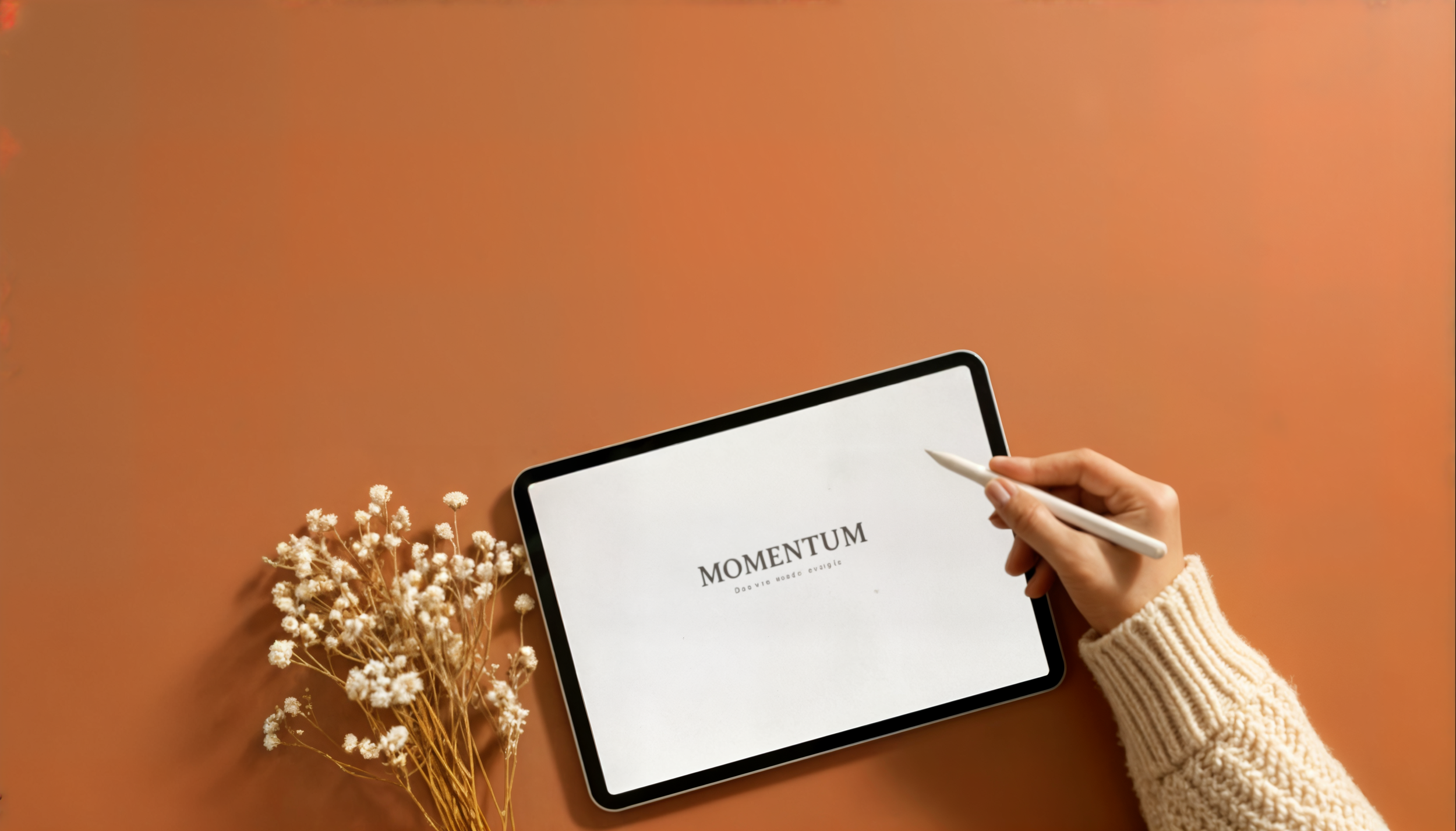
MOMENTUM
Finally — a planner that helps you show up, stay focused, and actually finish what you start.
IS THIS YOU?
You start the year with a fresh journal, a hot coffee, and big dreams. This is it, you tell yourself. This is my year.
You start each month setting goals you know could change your life.
You start the week full of good intentions. You write your to-do’s. You swear this time you’ll stick to the plan.
And then… life happens.
Meetings run long. Energy dips. Priorities compete.
Everything feels important.
And your goals quietly slide to the bottom — again.
Not because you didn’t care. Not because you weren’t trying.
Most plans fail because they ask for too much, too fast — and real life gets in the way.
What you actually need isn’t more motivation or pressure.
You don’t need to overhaul your life. And you definitely don’t need to hustle harder.
You need a simple system to turn big goals into small, doable actions — the kind you can show up for even on busy days.
That’s where MOMENTUM comes in.
MOMENTUM
90-DAY DIGITAL GOAL PLANNER
The Momentum Planner isn’t about doing more. It’s about doing what matters — consistently. Instead of trying to change everything at once, the Momentum Planner helps you focus on what matters right now — and move just 1% closer to your goal each day.
WHY 90 DAYS?
Because a year feels far away, but 90 days feels possible. It’s long enough to make real progress and close enough to stay focused, helping you ask one powerful question each day: “What’s the small step I can take today?”
FULLY CLICKABLE, HYPERLINKED PLANNER
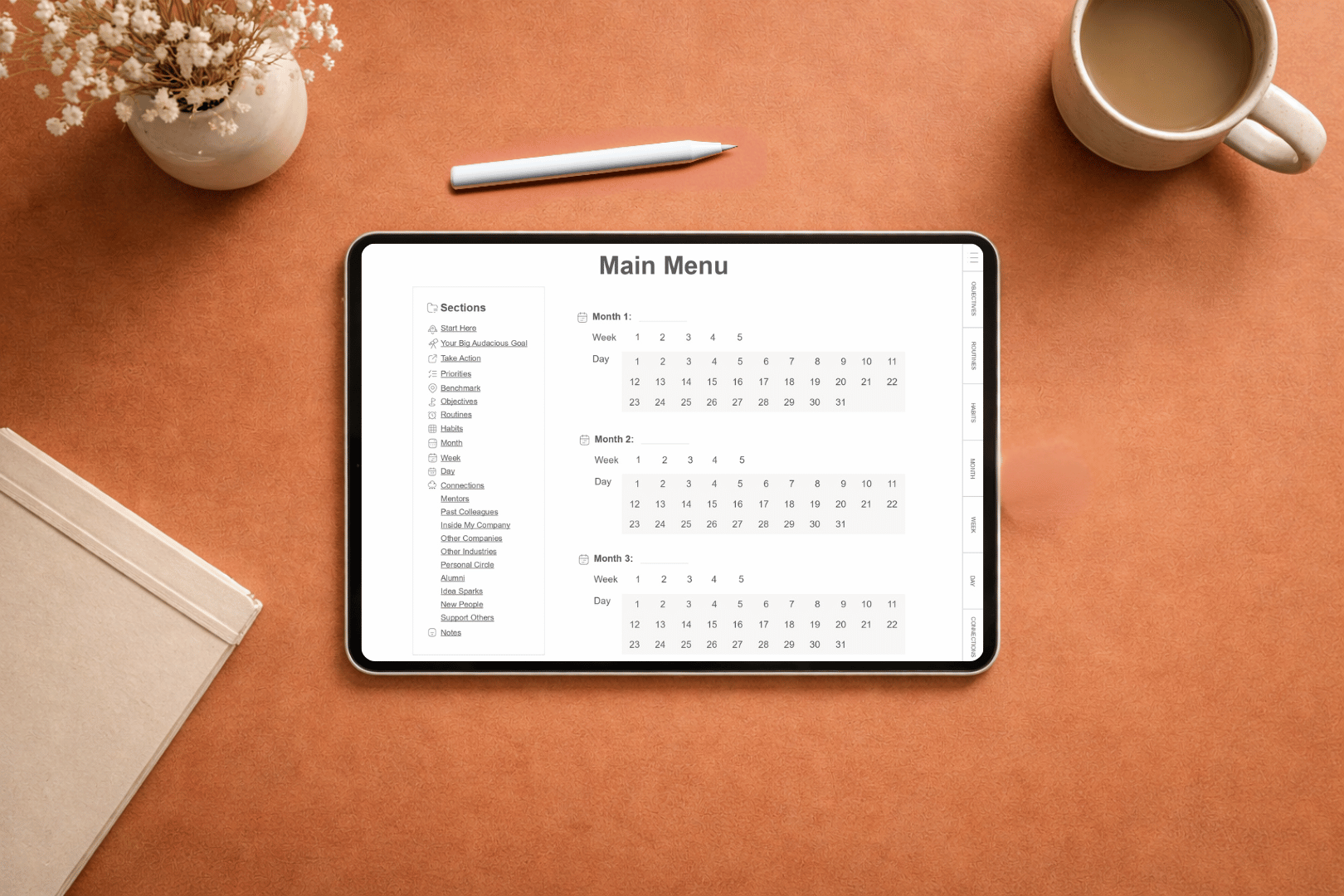
Because it’s a fully clickable, hyperlinked digital planner, you can move from your 90-day goals to your monthly, weekly, and daily pages with just one tap — no hunting through endless PDFs.
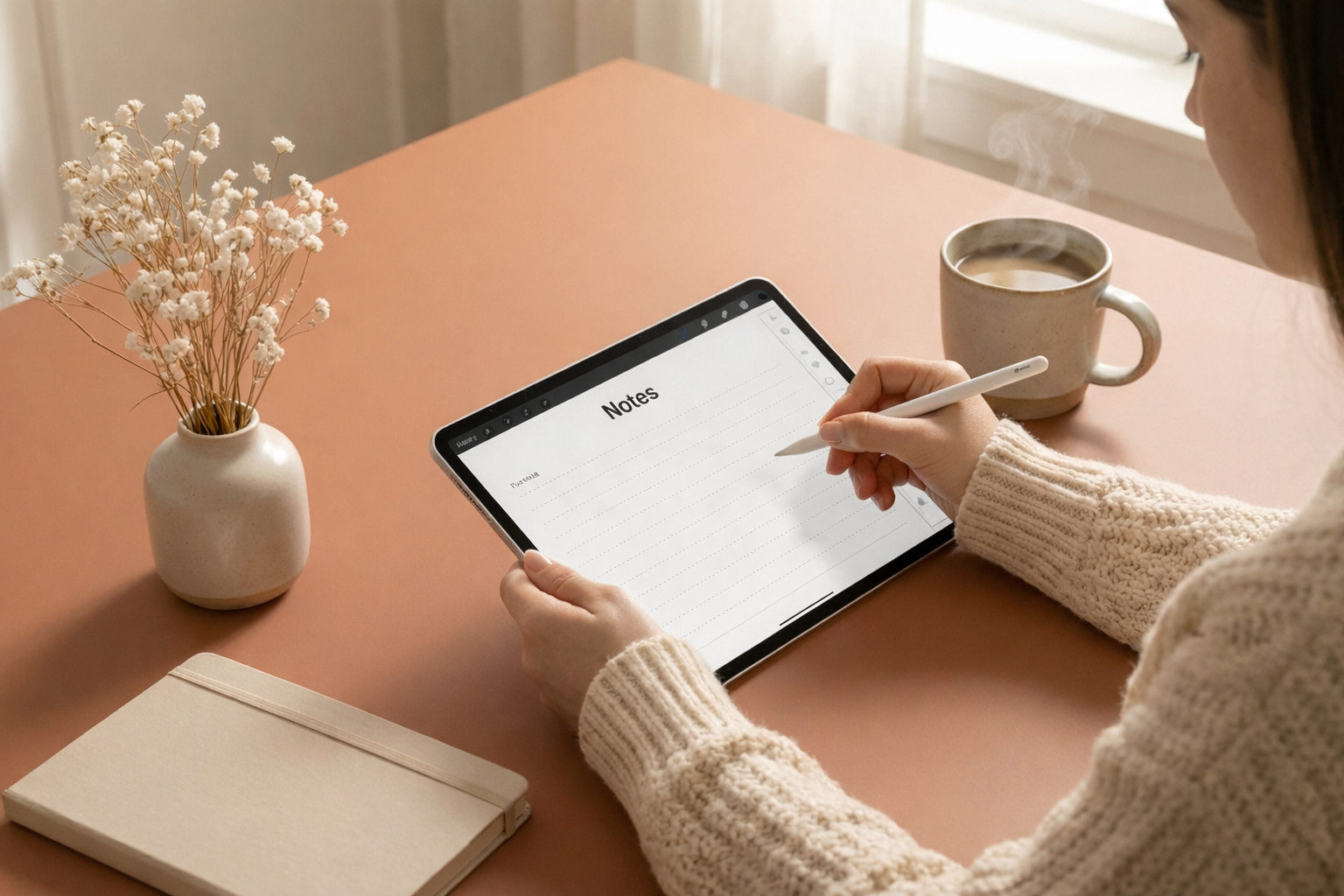
DESIGNED FOR DIGITAL HANDWRITING
It’s designed for digital handwriting (not typing), so you can slow down, think more clearly, and actually remember what you’re committing to. You can use it with any app or device that reads and marks up PDFs — including Goodnotes, Notability, Noteshelf, Adobe Acrobat Reader, and reMarkable, with more options listed in the FAQ.
And when you’re craving pen and paper, you can simply print it and use it like a traditional planner.
BUILT ON OKR FRAMEWORK
The Momentum Planner is based on the OKR framework (Objectives & Key Results)—the same method used by companies like Google, Intel, and Spotify to make consistent progress toward bold goals.
But don’t worry — this isn’t corporate or complicated. We stripped it down and rebuilt it for your life. For busy professionals. Entrepreneurs. Ambitious goal-setters balancing work, life, and everything in between. It’s for you if you want a clear, simple structure to follow so you can stop thinking about your goals and start living them.
WHAT’S INSIDE
-
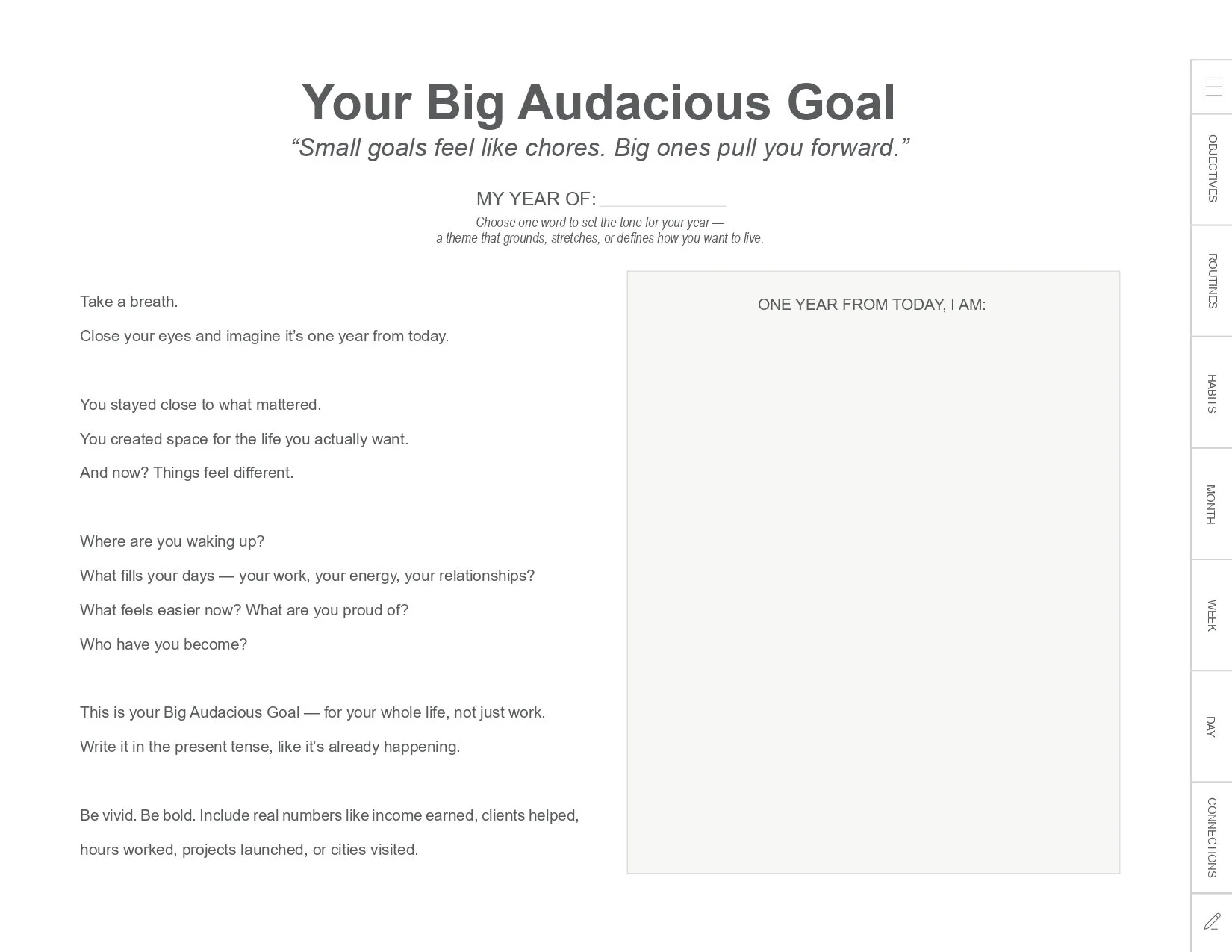
YOUR BIG AUDACIOUS GOAL
Starts with your Big Audacious Goal — the one that excites you and scares you a little.
-
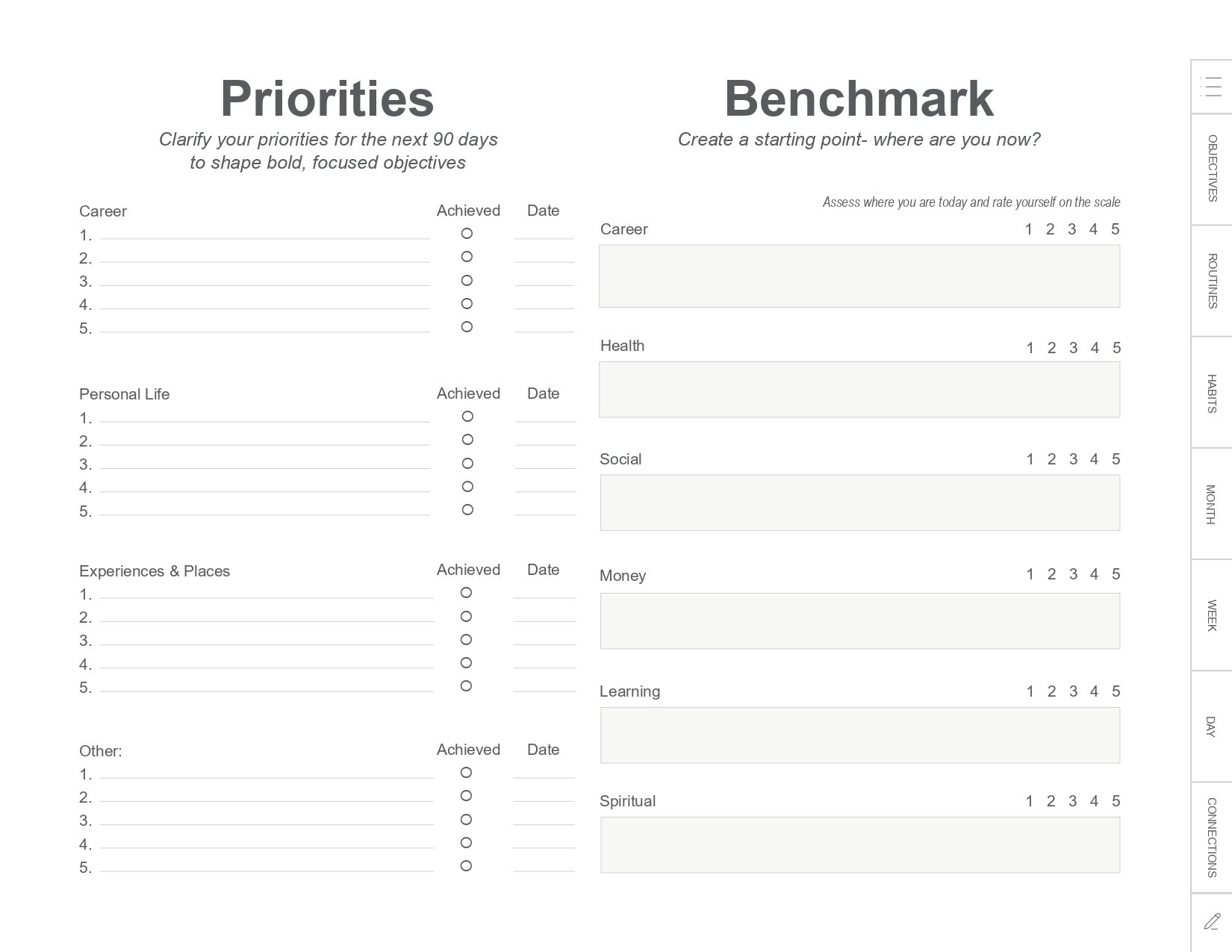
PRIORITIES & BENCHMARK
Identifies your top priorities and benchmarks so you know what matters most right now and where you’re beginning.
-
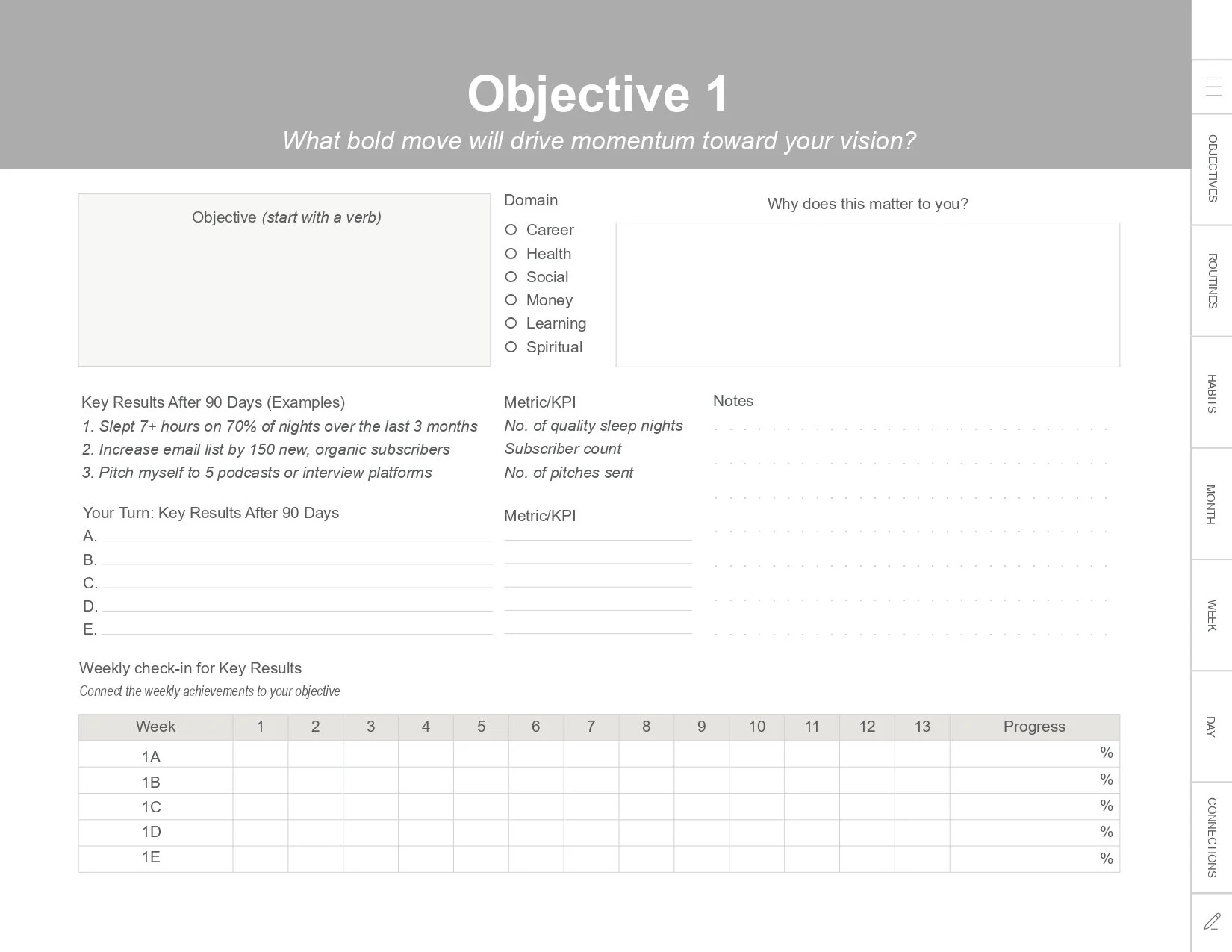
OBJECTIVES & KEY RESULTS
Transforms your vision into 90-day objectives and measurable key results so you always know your next step and how to track real progress.
-
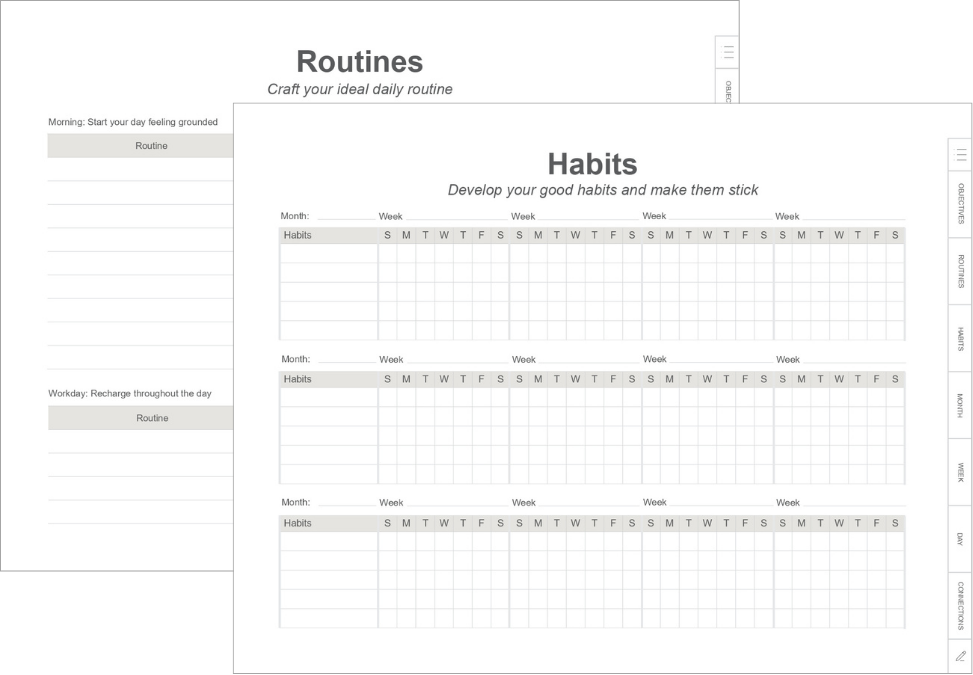
HABITS & ROUTINES
Builds in habits and routines that support who you want to become.
-
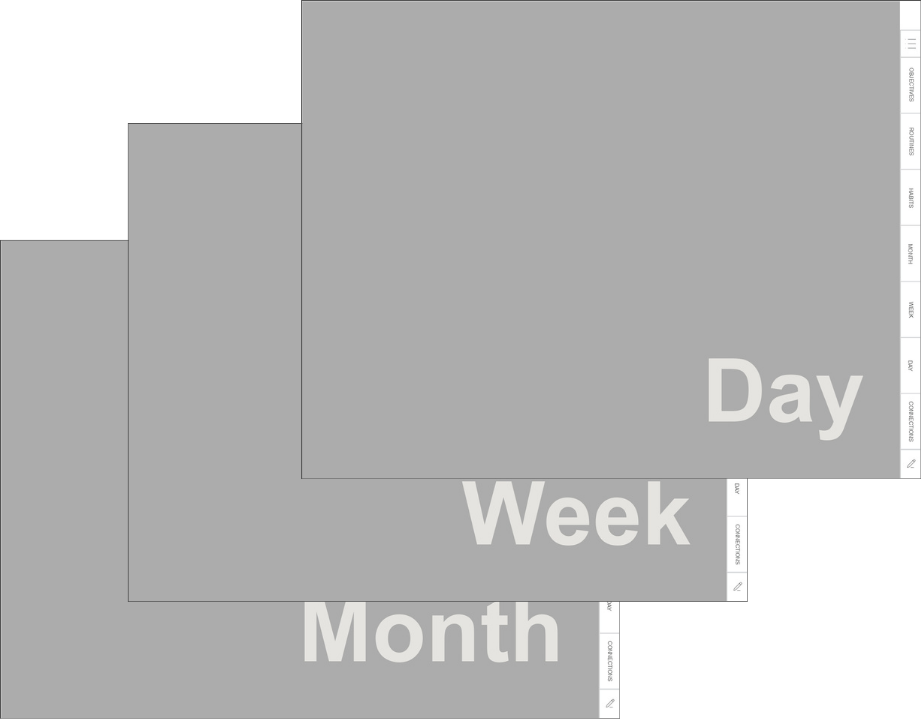
MONTHLY, WEEKLY, AND DAILY PAGES
Gives you monthly, weekly, and daily pages that actually connect to your bigger vision.
-
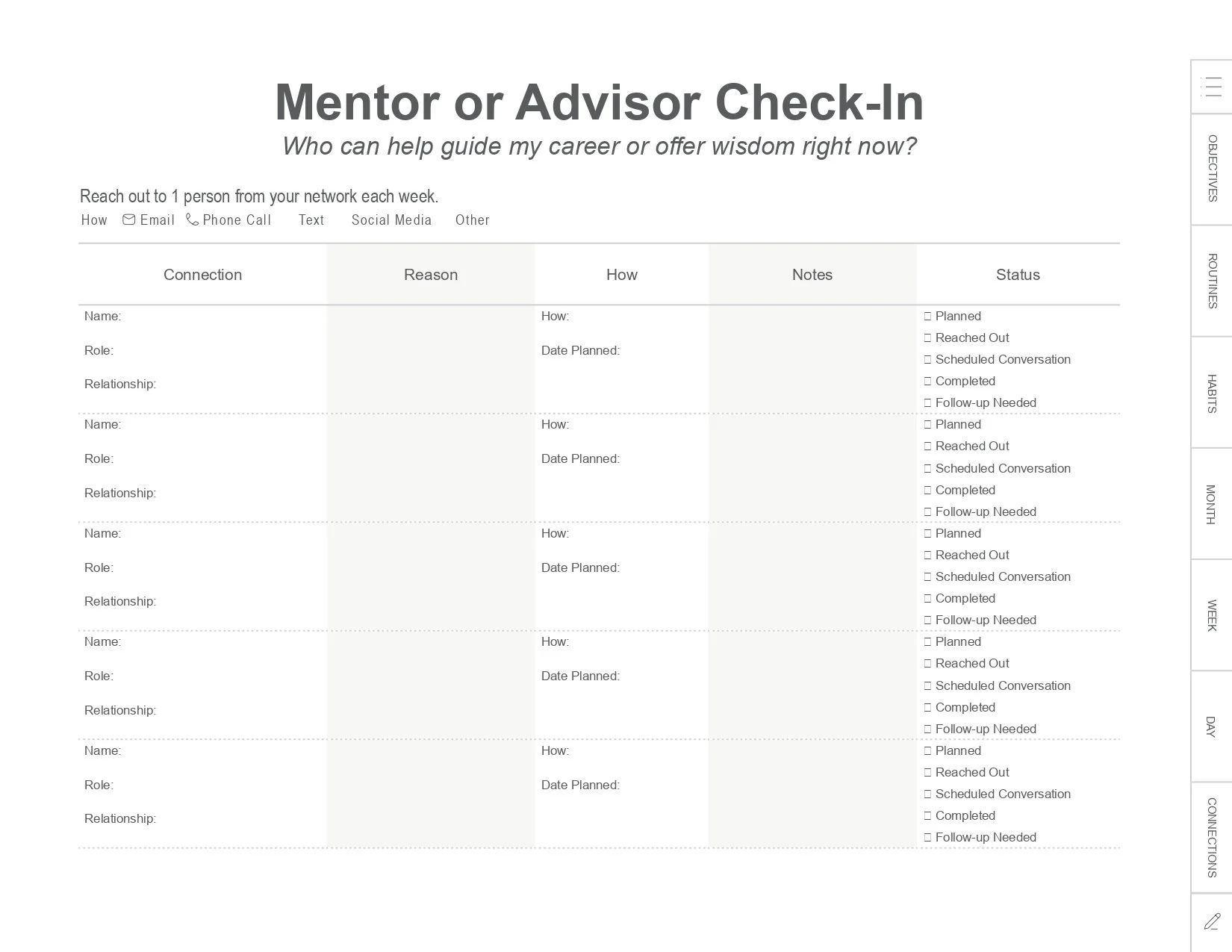
CONNECTIONS
Includes a connections section to help you grow your network and opportunities.
BUY ONCE. REUSE FOREVER.
The Momentum Planner blends the best of both worlds — the focus and memory boost you get from handwriting your goals and the ease of keeping everything digital. It skips the traditional calendar (because let’s be honest, you already use one online!) and instead gives you a calm, uncluttered space to plan, reflect, and get realigned with what truly matters.
And the best part? The Momentum Planner is undated and reusable. Buy it once, save a blank copy, and use it every quarter, every year. No need to buy a new one every January. No extra spending. Just a system that grows with you.

If you show up for just 5-10 minutes a day with this planner, here’s what starts to shift:
✓ You feel clear on your priorities
✓ You make progress without overwhelm
✓ You stop procrastinating and start taking action
✓ You build momentum through small, consistent wins
✓ You move 1% closer to your goals each day — and that progress compound

FREQUENTLY ASKED QUESTIONS
-
This planner is designed for digital handwriting (not typing) because writing helps you process, remember, and commit. You’ll get the best experience using a stylus on an iPad/tablet — and you can also print it if you prefer planning on paper.
-
Yes! The Momentum Planner includes clickable and hyperlinked sections so you can easily move between pages while planning digitally.
-
Recommended Apps for Using Your Momentum Planner
You’re not limited to the apps below — these are just popular examples many planner users love:
✅ Best Experience (iPad + Stylus)
These apps give you the smoothest writing experience, full hyperlink support, and great organization tools.
For iPad (Highly recommended):
GoodNotes 6 – Best for digital planners. Smooth writing + great navigation.
Notability – Excellent handwriting + audio notes (if you like that).
Noteshelf – Very clean, great for writing + organizing notebooks.
ZoomNotes – More advanced, great for heavy note-takers.
Flexcil – Lightweight and simple.
Adobe Acrobat Reader– Supports PDF annotation (handwriting, highlighting, comments) and clickable hyperlinks
✅ Android Tablets (Samsung, Lenovo, etc.)
Perfect for Samsung Galaxy Tab users with an S-Pen.
Samsung Notes – Supports PDFs + handwriting (no hyperlinks).
Xodo (Android & iOS) – Free, reliable, hyperlinks supported.
Flexcil (Android version) – Good for annotation + handwriting.
Metamoji Note – Less common but works well for planners
Adobe Acrobat Reader- Allows PDF annotation and supports clickable hyperlinks
(Note: Some Android apps don’t support clickable links as smoothly as iPad apps. Xodo is your safest option.)
✅ Windows Tablets (Surface Pro, etc.)
These apps allow pen input and load hyperlinked PDFs smoothly.
Xodo (Windows) – Free and works extremely well with PDF planners.
Drawboard PDF – Popular for Surface tablet handwriting.
OneNote – Can import PDFs page by page (but hyperlinks won’t work).
Adobe Acrobat Reader- Supports pen annotation, highlighting, comments, and clickable hyperlinks
PDF Annotator – Paid but very handwriting-friendly.
✅ Mac & PC (using a trackpad or mouse)
You can use the planner here, but writing feels better on a tablet.
Adobe Acrobat Reader – Reliable for clickable hyperlinks, typing, highlighting, and comments
Xodo Web – Good online PDF reader with link support.
Preview (Mac) – Opens the planner; good as a backup viewer (limited markup).
✅ E-Ink Tablets (Paper-like experience)
These devices feel like writing on real paper.
Important: Some devices don’t show colored elements perfectly, and hyperlinks sometimes require tapping with a finger instead of a stylus.reMarkable 2 (via default PDF viewer) – Hyperlinks may work inconsistently.
Kindle Scribe – Supports writing on PDFs but hyperlinks do not work.
BOOX Note Air / BOOX Tab series – Best e-ink option; hyperlinks usually work.
Supernote – Great writing feel; hyperlinks may not function.
✅ Phones (Not recommended but possible)
Usable in emergencies but screen is too small for handwriting.
Xodo (iOS & Android)- Works well for quick check-ins and edits.
Adobe Acrobat Reader- Supports viewing PDFs and basic annotation.
-
Most planners only give you boxes to fill in. The Momentum Planner gives you a system — from big picture to daily action — so every task connects to your goal.
-
Nope! You can start anytime. It’s undated so you can jump in when you’re ready.
-
Just 5–10 minutes in the morning and 5 minutes at night. Enough to stay focused without adding overwhelm.
-
Not at all. It works beautifully for personal, health, money, creative, and career goals. If it matters to you, it belongs in your planner.
Your dreams are waiting.
The life you want? It’s not out of reach. You don’t need a perfect plan. You just need a simple system that helps you show up for it — one day at a time.
90 days from now, you’ll be glad you started today.
MOMENTUM
Finally — a planner that helps you show up, stay focused, and actually finish what you start.
IS THIS YOU?
You start the year with a fresh journal, a hot coffee, and big dreams. This is it, you tell yourself. This is my year.
You start each month setting goals you know could change your life.
You start the week full of good intentions. You write your to-do’s. You swear this time you’ll stick to the plan.
And then… life happens.
Meetings run long. Energy dips. Priorities compete.
Everything feels important.
And your goals quietly slide to the bottom — again.
Not because you didn’t care. Not because you weren’t trying.
Most plans fail because they ask for too much, too fast — and real life gets in the way.
What you actually need isn’t more motivation or pressure.
You don’t need to overhaul your life. And you definitely don’t need to hustle harder.
You need a simple system to turn big goals into small, doable actions — the kind you can show up for even on busy days.
That’s where MOMENTUM comes in.
MOMENTUM
90-DAY DIGITAL GOAL PLANNER
The Momentum Planner isn’t about doing more. It’s about doing what matters — consistently. Instead of trying to change everything at once, the Momentum Planner helps you focus on what matters right now — and move just 1% closer to your goal each day.
WHY 90 DAYS?
Because a year feels far away, but 90 days feels possible. It’s long enough to make real progress and close enough to stay focused, helping you ask one powerful question each day: “What’s the small step I can take today?”
FULLY CLICKABLE, HYPERLINKED PLANNER
Because it’s a fully clickable, hyperlinked digital planner, you can move from your 90-day goals to your monthly, weekly, and daily pages with just one tap — no hunting through endless PDFs.
DESIGNED FOR DIGITAL HANDWRITING
It’s designed for digital handwriting (not typing), so you can slow down, think more clearly, and actually remember what you’re committing to. You can use it with any app or device that reads and marks up PDFs — including Goodnotes, Notability, Noteshelf, Adobe Acrobat Reader, and reMarkable, with more options listed in the FAQ.
And when you’re craving pen and paper, you can simply print it and use it like a traditional planner.
BUILT ON OKR FRAMEWORK
The Momentum Planner is based on the OKR framework (Objectives & Key Results)—the same method used by companies like Google, Intel, and Spotify to make consistent progress toward bold goals.
But don’t worry — this isn’t corporate or complicated. We stripped it down and rebuilt it for your life. For busy professionals. Entrepreneurs. Ambitious goal-setters balancing work, life, and everything in between. It’s for you if you want a clear, simple structure to follow so you can stop thinking about your goals and start living them.
WHAT’S INSIDE
-
YOUR BIG AUDACIOUS GOAL
Starts with your Big Audacious Goal — the one that excites you and scares you a little.
-
PRIORITIES & BENCHMARK
Identifies your top priorities and benchmarks so you know what matters most right now and where you’re beginning.
-
OBJECTIVES & KEY RESULTS
Transforms your vision into 90-day objectives and measurable key results so you always know your next step and how to track real progress.
-
HABITS & ROUTINES
Builds in habits and routines that support who you want to become.
-
MONTHLY, WEEKLY, AND DAILY PAGES
Gives you monthly, weekly, and daily pages that actually connect to your bigger vision.
-
CONNECTIONS
Includes a connections section to help you grow your network and opportunities.
BUY ONCE. REUSE FOREVER.
The Momentum Planner blends the best of both worlds — the focus and memory boost you get from handwriting your goals and the ease of keeping everything digital. It skips the traditional calendar (because let’s be honest, you already use one online!) and instead gives you a calm, uncluttered space to plan, reflect, and get realigned with what truly matters.
And the best part? The Momentum Planner is undated and reusable. Buy it once, save a blank copy, and use it every quarter, every year. No need to buy a new one every January. No extra spending. Just a system that grows with you.
IF YOU SHOW UP JUST 5-10 MINUTES A DAY WITH THIS PLANNER, HERE’S WHAT STARTS TO SHIFT:
✓ You feel clear on your priorities
✓ You make progress without overwhelm
✓ You stop procrastinating and start taking action
✓ You build momentum through small, consistent wins
✓ You move 1% closer to your goals each day — and that progress compound
FREQUENTLY ASKED QUESTIONS
-
This planner is designed for digital handwriting (not typing) because writing helps you process, remember, and commit. You’ll get the best experience using a stylus on an iPad/tablet — and you can also print it if you prefer planning on paper.
-
Yes! The Momentum Planner includes clickable and hyperlinked sections so you can easily move between pages while planning digitally.
-
Recommended Apps for Using Your Momentum Planner
You’re not limited to the apps below — these are just popular examples many planner users love:
✓ Best Experience (iPad + Stylus)
These apps give you the smoothest writing experience, full hyperlink support, and great organization tools.
For iPad (Highly recommended):
GoodNotes 6 – Best for digital planners. Smooth writing + great navigation.
Notability – Excellent handwriting + audio notes (if you like that).
Noteshelf – Very clean, great for writing + organizing notebooks.
ZoomNotes – More advanced, great for heavy note-takers.
Flexcil – Lightweight and simple.
Adobe Acrobat Reader– Supports PDF annotation (handwriting, highlighting, comments) and clickable hyperlinks
✓ Android Tablets (Samsung, Lenovo, etc.)
Perfect for Samsung Galaxy Tab users with an S-Pen.
Samsung Notes – Supports PDFs + handwriting (no hyperlinks).
Xodo(Android & iOS) – Free, reliable, hyperlinks supported.
Flexcil (Android version) – Good for annotation + handwriting.
Metamoji Note – Less common but works well for planners
Adobe Acrobat Reader- Allows PDF annotation and supports clickable hyperlinks
(Note: Some Android apps don’t support clickable links as smoothly as iPad apps. Xodo is your safest option.)
✓ Windows Tablets (Surface Pro, etc.)
These apps allow pen input and load hyperlinked PDFs smoothly.
Xodo (Windows) – Free and works extremely well with PDF planners.
Drawboard PDF – Popular for Surface tablet handwriting.
OneNote – Can import PDFs page by page (but hyperlinks won’t work).
Adobe Acrobat Reader- Supports pen annotation, highlighting, comments, and clickable hyperlinks
PDF Annotator – Paid but very handwriting-friendly.
✓ Mac & PC (using a trackpad or mouse)
You can use the planner here, but writing feels better on a tablet.
Adobe Acrobat Reader – Reliable for clickable hyperlinks, typing, highlighting, and comments
Xodo Web – Good online PDF reader with link support.
Preview (Mac) – Opens the planner; good as a backup viewer (limited markup).
✓ E-Ink Tablets (Paper-like experience)
These devices feel like writing on real paper.
Important: Some devices don’t show colored elements perfectly, and hyperlinks sometimes require tapping with a finger instead of a stylus.reMarkable 2(via default PDF viewer) – Hyperlinks may work inconsistently.
Kindle Scribe – Supports writing on PDFs but hyperlinks do not work.
BOOX Note Air / BOOX Tab series – Best e-ink option; hyperlinks usually work.
Supernote – Great writing feel; hyperlinks may not function.
✓ Phones (Not recommended but possible)
Usable in emergencies but screen is too small for handwriting.
Xodo (iOS & Android)- Works well for quick check-ins and edits.
Adobe Acrobat Reader- Supports viewing PDFs and basic annotation.
-
Most planners only give you boxes to fill in. The Momentum Planner gives you a system — from big picture to daily action — so every task connects to your goal.
-
Nope! You can start anytime. It’s undated so you can jump in when you’re ready.
-
Just 5–10 minutes in the morning and 5 minutes at night. Enough to stay focused without adding overwhelm.
-
Not at all. It works beautifully for personal, health, money, creative, and career goals. If it matters to you, it belongs in your planner.
Your dreams are waiting.
The life you want? It’s not out of reach. You don’t need a perfect plan. You just need a simple system that helps you show up for it — one day at a time.
90 days from now, you’ll be glad you started today.